Tested: Claude drives an RGBW par through an ENTTEC DMX USB Pro
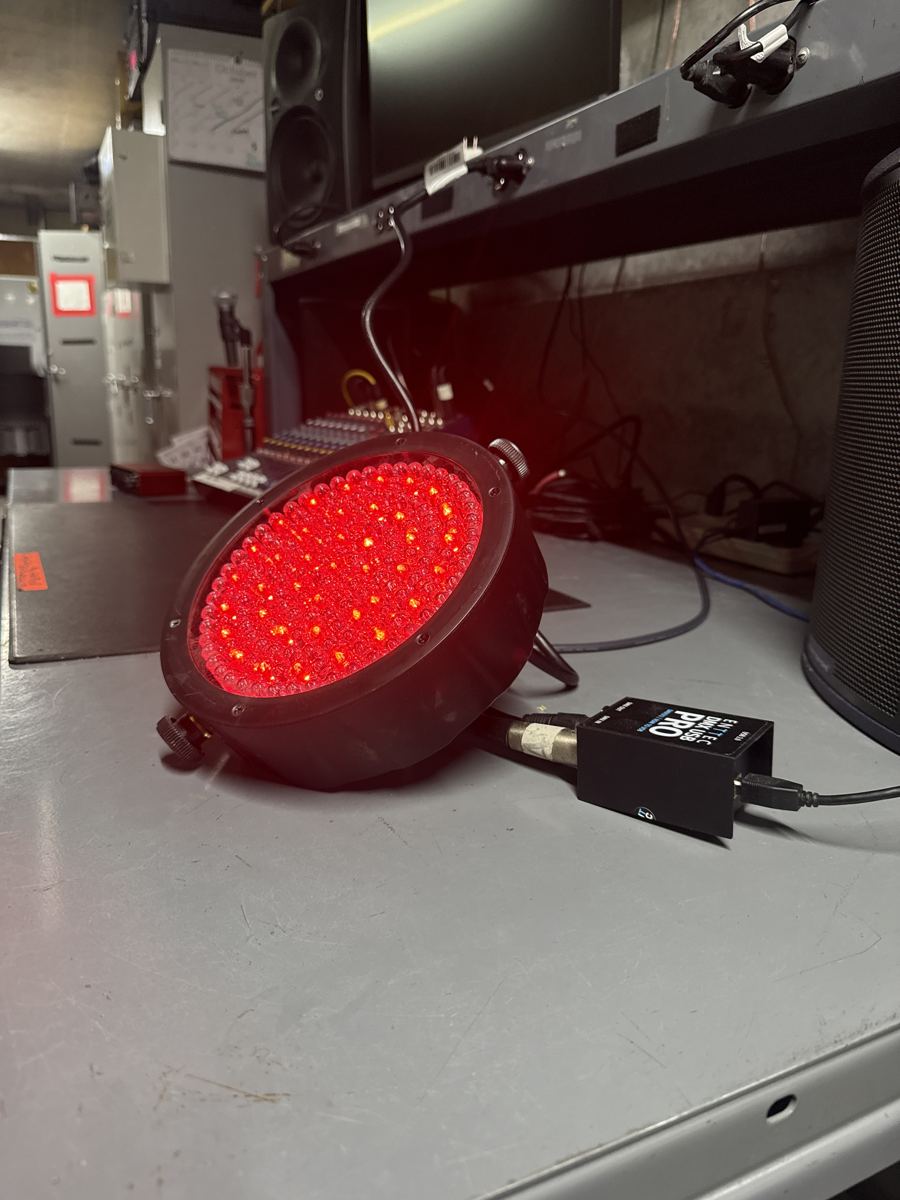
Tested on a real rig Tested 2026-10-19 on a Chauvet RGBW par at DMX address 1, driven by an ENTTEC DMX USB Pro on a Windows laptop (COM3). All rig tests
LightingIntermediateENTTEC DMX USB ProChauvet RGBW parClaude DesktopMCPDMX
What it does
This is a bench test on real hardware, run on October 19, 2026. A Chauvet RGBW par at DMX address 1 (four channels: red, green, blue, white) was connected to an ENTTEC DMX USB Pro on the laptop's COM3 port.
A small MCP server, written with no third-party dependencies, writes DMX frames to the ENTTEC and gives Claude Desktop three tools:
- set_color: a named color plus a brightness, for requests like "make it purple at 50%".
- set_rgbw: raw red, green, blue and white levels.
- blackout: all channels to zero.
All three worked on the fixture. Because the X32 MCP server was loaded at the same time, Claude could also combine them, for example checking a console channel and then setting the light.
How to set it up
- Connect the ENTTEC DMX USB Pro and find its serial port (COM3 in this test).
- Address the fixture. Here the par was at DMX address 1 in a 4-channel RGBW mode.
- Send one test frame with channel 1 at full. The par should go red, which confirms the port, cable and address.
- Add the DMX MCP server to Claude Desktop's config next to any other servers, then restart Claude Desktop.
- Ask for a color and brightness, then ask for a blackout.
FAQ
Do I need lighting software?
Not for a single fixture. The server writes DMX straight to the ENTTEC. For a real rig with many fixtures, a lighting console or OLA is the better base.
Can I get the script?
The scripts are site-specific (port, address, channel layout), so they are not published here yet. The approach above is the full design: open the serial port, send ENTTEC "Output Only Send DMX" frames, expose three tools.
Photos from the rig
Original source: https://www.enttec.com/